
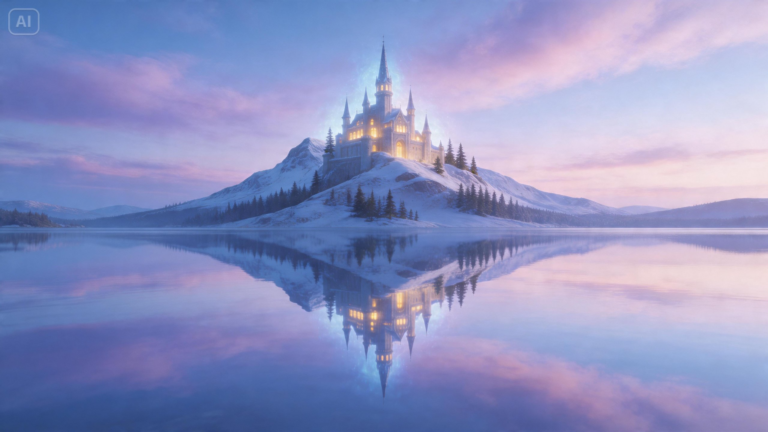
Something intriguingly fascinating comes with symmetry. When an image is divided by two and reflects the other side of it, then it becomes not just a normal picture, but also mesmerizing and even futuristic. With the help of the mirror art editor, your images will transform into something magical.
Using Dreamina, you can achieve such amazing visual results without any need to be an experienced editor. It requires only setting up the structure, selecting how the reflection will be done, and AI will process everything.
Try out various mirror effects with the help of a free AI art generator. Even portrait photography or landscape pictures will turn into mesmerizing reflected images. Here are four amazing effects and tips on how to create them step by step.
Obsession with symmetry: Perfect split mirror
It is perhaps the most classic type of mirror effect that people can do. In order to get this effect, the image should be split in half, and one side should be mirrored to another one creating a perfectly symmetrical image.
It is best to use it for portrait photography since the human face does not have symmetry.
Experiment with:
-
Portraits with close-ups
-
Fashion shoots
-
Photos of animal heads
-
Pictures of buildings
You will get an uncanny result, but that’s precisely how the artistry works. It creates a fresh and vivid image with a sculptural appearance.
Kaleidoscope mirror effects: Multiple images
While reflection on its own is a powerful effect, adding multiple layers of mirrors will turn your photo into an explosion of geometric patterns. A kaleidoscope reflection duplicates the image into rotational and radial symmetry.
It’s like folding reality into geometrical shapes.
Use it to create:
-
Party visuals
-
Artistic backgrounds
-
Album cover artwork
-
Digital poster designs
-
Visuals of psychedelic art projects
A rose turns into a mandala, and cityscapes become an artistic tunnel of symmetry. Even portraits turn into artistic mosaics under the kaleidoscope effects.
Sometimes creators use it as part of branding ideas and make an abstract design for an AI logo generator.
Mirror horizon flip: Dreamy landscape reflection
This technique is much more tranquil and atmospheric. Rather than slicing the reflection horizontally, you mirror it across a horizontal line to get the reflection of the top half on the bottom half—or the other way around.
The result is:
-
Imaginary skies reflected over imaginary oceans
-
Unreal mountains reflected in imaginary dreamscapes
-
Unreal cities duplicated upside down and right side up
The sensation is akin to stepping into a parallel universe where the rules of physics differ slightly. The appeal of this mirror effect lies in its gentle distortion of reality. This technique is ideal for travel and nature photography, where there is plenty of sky and light.
Mirror double exposure fusion: Two stories in one image
In this case, mirror effects get experimental, as you no longer reflect the same object but rather combine two images in a single reflection.
Here are some examples:
-
Portrait and forest reflection fused
-
Silhouette and city lights reflection combined
-
Face and ocean waves reflection merged
-
Person and abstract textures fused
Examples of such include:
-
Face the reflection of the forest
-
Silhouette with the reflection of city lights
-
Portrait with reflection of ocean waves
-
Figure with reflective abstract textures
This creates an experience that is complex and emotional, like metaphor through imagery. This is more than symmetry; it is storytelling.
Artists tend to adopt such a technique in creating visuals for brand identities or expressive characters. Stylized portraits created using an AI avatar generator also take advantage of such blending techniques.
Mirrored storytelling with Dreamina: Doubling imagination
When you approach mirror art from a perspective that involves less manual editing and more prompt descriptions, then you’ll find it a lot easier to achieve. Dreamina allows you to describe the symmetry, rather than draw it step by step.
Create reflections from imagination
Step 1: Create a text prompt
Visit Dreamina and start by creating an extensive text prompt detailing a human who fits your vision of what mirror art would look like. Consider factors such as clothing, pose, symmetry concept, lighting, and reflective elements.
Sample prompt: A vibrant and intricate kaleidoscopic abstract pattern. The design features perfectly symmetrical, repeating geometric shapes and floral motifs in bold, neon colors against a dark background. Hypnotic, detailed, psychedelic art.
Step 2: Adjust settings and render
Choose a human model with an artistic or cinematic appearance. Adjust the aspect ratio to choose between portrait symmetry, square patterns, and wide mirrored scenes. Adjust size and resolution by setting 1k for fast renders or 2k for high-definition images. Finally, click on the Dreamina button to create mirror art images.
Step 3: Edit and download
Make changes to the symmetry and composition with Dreamina tools. Inpaint fixes asymmetrical reflections, expand changes scene framing, remove gets rid of unnecessary items along the edges of mirrored surfaces, while retouch adds details to lighting or facial appearance. Click on the Download button to save your artwork.
Transforming mirror effects into directions for creativity
Mirroring is more than reversing images – it’s controlling perceptions. Each mirror effect comes with its own mood.
-
Symmetry feels powerful and authoritative
-
Kaleidoscope feels energizing and dynamic
-
Horizon flip feels calm and strange
-
Double exposure feels meaningful and poetic
The choice depends on what story you want to tell with your photo.
Little things that help mirror photography look amazing
Despite seeming minimalistic, good symmetrical photos require precision. Things to consider:
-
Exact central alignment (any deviation ruins the composition)
-
Consistent lighting in each half of the picture
-
Clear outlines along reflected contours
-
Well-balanced contrasts in mirrored halves
-
Lack of unnecessary clutter in the background
A photo where all those things come together feels purposeful, not random.
Where mirror photography is applied in branding and identity design
Symmetric visual effects are not limited to artistic purposes. Mirror effects are used extensively in visual identity design projects as they attract attention easily and feel stable and reliable by their nature.
They are used in:
-
Poster and advertising campaign designs
-
Visual identity for social networks
-
Event branding graphics
-
Album covers
-
Conceptual identity projects
Abstract logos generated through an AI logo maker usually use symmetric shapes too.
Converting mirrored visuals into filmic sequences
After generating your mirror visual, you can use the idea to create an entire scene from it. The symmetric portrait will provide the starting point for an entire character scene. Similarly, the kaleidoscope will allow you to create a motion design concept from it. Finally, the mirror landscape can provide you with a world-building concept.
These images can then form the basis of an entire set of AI-generated visuals with thematic text prompts or references.
Preventing over-editing in mirror artworks
Since mirror visuals are visually impactful, overediting will only make things worse.
Be wary of the following issues:
-
Too many color variations between halves
-
Excessive distortions, breaking symmetry
-
Overlayering patterns when editing kaleidoscopes
-
Neglecting focal points, such as eyes or horizons
The ideal mirror artwork should always be easily readable.
Why symmetrical images seem visually appealing
The human brain is conditioned to identify a state of balance. This is the reason why mirror art appeals to our senses—it transforms chaos into harmony. No matter how surreal or strange, even distorted images remain structured; therefore, such artworks are always appealing, irrespective of culture and style.
The harmony of familiar elements and distortion allows us to perceive mirror art as creative. It may be structured, yet never monotonous.
Your next reflection is only one click away
The process of editing involves applying a variety of effects on an initial picture. In the context of mirror art, it leads to creation of visually engaging illusions that are perceived as intentionally produced and artistic pieces with a certain element of surrealism.
From perfect symmetry and double exposure to kaleidoscope pattern and mirror landscape, there are various ways to make an image look different.
With Dreamina, you can avoid tedious procedures associated with duplication of images and aligning layers—the app will allow you to apply all required changes automatically.